

Prices on charts are 15-minute delayed and fetched regularly. Confirm live underlying and option prices at your broker before trading. See Delayed Data Disclaimer.
Full page overview
The report stacks multiple sections vertically for one ticker (example below: AAPL).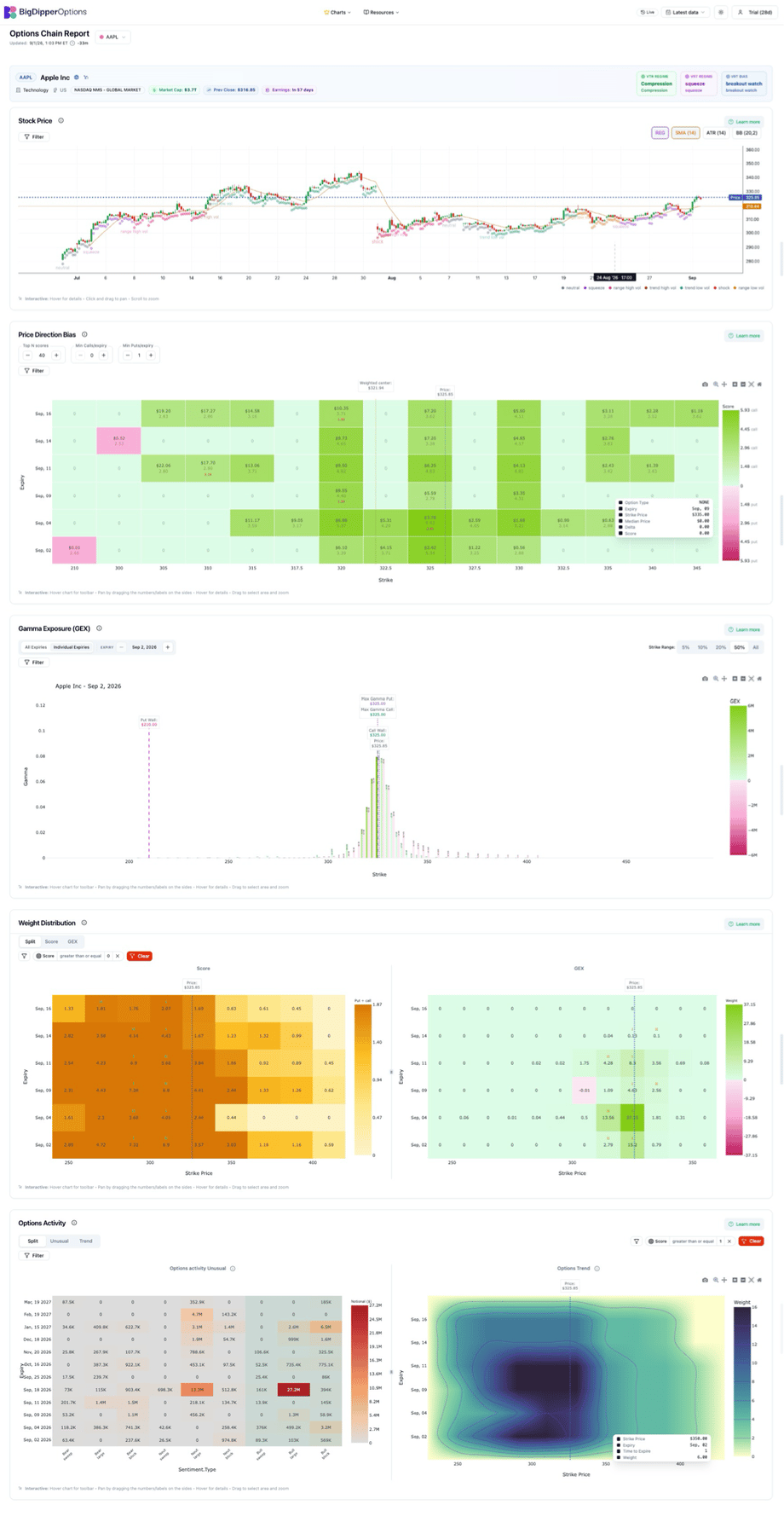
Top navigation bar

Options Chain Report header
Below the top bar, the report header identifies the symbol and context:
Change the ticker here to reload the full report for another symbol.
Section 1 — Stock Price
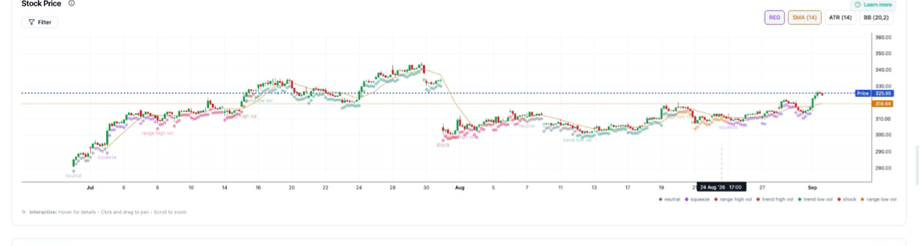
Use this section to: establish trend and range before reading options structure. See Stock Price History.
Section 2 — Price Direction Bias
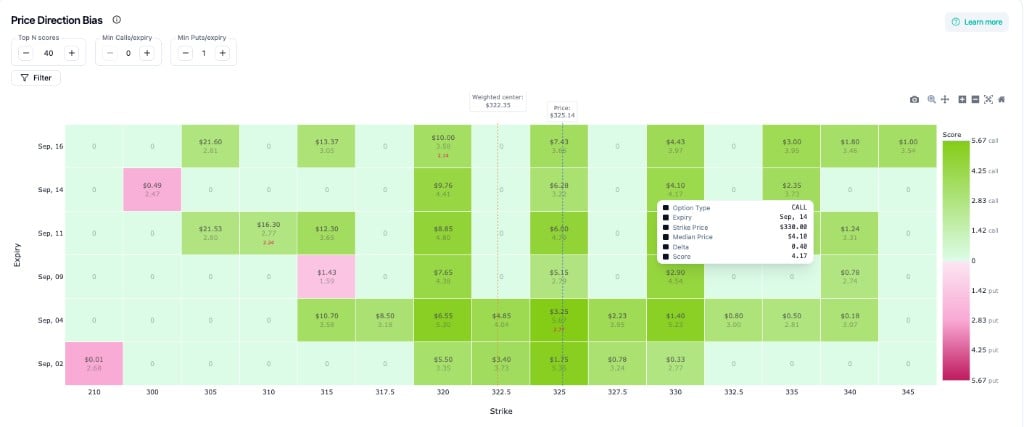
Axes: Expiry (rows) × Strike (columns). Each cell shows median price and score (decimal); the Score color legend on the right shows the live range (e.g. 0 → ~5.67 call / put). Hover for call/put, expiry, strike, delta, and score—see What Does the Score Show?.
Use this section to: see where score and activity cluster across strikes and expiries—not as a trade signal.
Section 3 — Gamma Exposure (GEX)
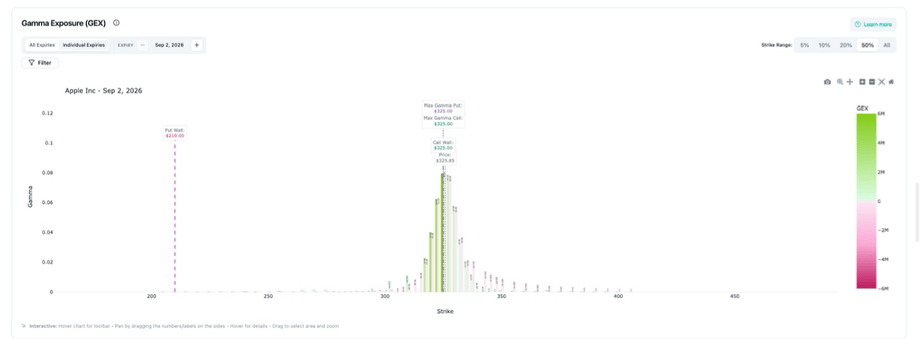
On-chart labels (per expiry):
Green vs pink bars show call vs put gamma exposure by strike. Deeper reading: Gamma Exposure Graph · Options Chain intro.
Section 4 — Weight Distribution
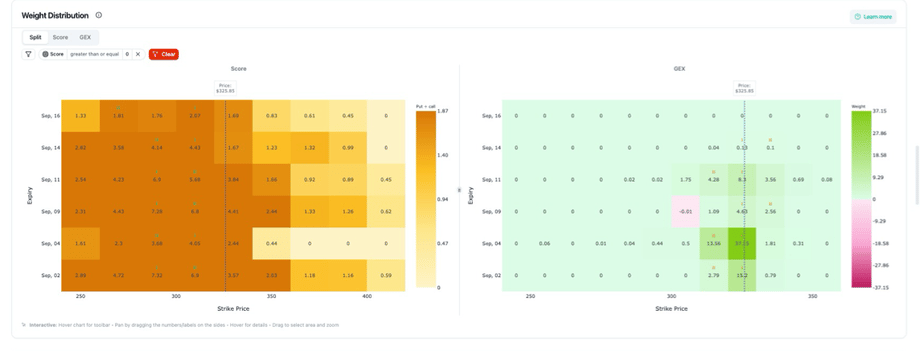
Two side-by-side heatmaps: Score (composite: IV, OI, gamma/GEX, volume, and more) and GEX (gamma weight). See GEX Weight Distribution and What Does the Score Show?.
Section 5 — Options Activity
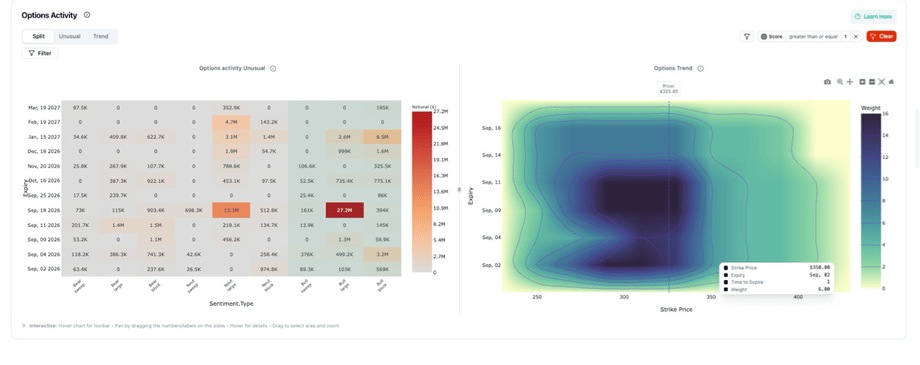
Record view: grid of activity by date and sentiment. Trend view: contour heatmap by expiry and strike. See Options Trend Graph.
Suggested workflow
- Search — enter ticker in the report header (e.g. AAPL)
- Stock Price — note trend, range, and regime badges
- Price Direction Bias — scan where activity concentrates
- GEX — pick expiry, set strike range (start with 10% or 20%), read walls and max gamma
- Weight Distribution — compare Score vs GEX heatmaps; adjust filters
- Options Activity — check Volume / Trend / Record for confirmation
- Document — write levels in your own words; verify live underlying and option prices at your brokerage
Related docs
- Wheel Page Guide — Wheel UI (scatter, CSP table, covered calls)
- Key metrics explained — Score, walls, max gamma
- Interpreting graphs
- Using BigDipperOptions — Learn track platform walkthrough
Habits that help
- Filters on every section — each chart has its own; learn them once per section
- One symbol per session until walls and score feel familiar
- Strike range on GEX — narrow to ATM before reading the full chain
- Prices on charts are delayed — confirm live underlying, strike, and option premium at your broker before trading